Easy AI Wins That Make Payroll Look Good
Three low-risk ways payroll teams are already using AI to cut hours of manual work - none of them touch a single employee record.
TL;DR: Payroll runs on documents, spreadsheets and process - exactly the kind of work AI is good at. None of it requires employee data. Build a "payroll profile" so your AI stops giving generic answers, use it to clean up the shared drive, the calculators and the process library nobody's audited in years, then turn your existing pay run data into a one-page report for the people you answer to. Get the exact prompts for all three at the end of this article.
Payroll is mostly paperwork, and AI is good at paperwork
Most of what fills a payroll professional's week isn't judgment calls - it's hours of reading, comparing, formatting and reconciling documents that someone has to get through before the judgment calls can happen. That's the part AI is genuinely good at:
None of it needs to see a pay rate, a bank account number or an employee's name. Everything below is operational housekeeping - the folders, spreadsheets and reports that sit around payroll, not inside it.
Two rules before you open a chat window
If you're not paying, your data is probably training the model. Before you paste anything in:
- Is it a paid business plan? Free tiers often train on your inputs - paid tiers typically don't.
- Has IT approved it? Don't go around governance to save ten minutes.
- Could you de-identify it? Strip names, IDs and addresses before anything goes near a prompt.
Not every question is worth the tokens. AI charges per word in and out, and your organisation's budget isn't infinite. "Compare these six process documents and find the contradictions" is worth spending on. "What's 4.6% of $82,400?" isn't - if a formula or an app already does it, use the formula.
1. Build your payroll brain
Every new conversation with an AI tool starts from zero. It doesn't know you run a fortnightly pay for 900 people, that your cut-off is Wednesday at noon or what your salary sacrifice arrangements look like - so the answers it gives you could apply to any payroll team, anywhere.
The fix is a payroll profile: a plain document covering your role, your systems, your pay cycle, your recurring exceptions and your compliance obligations. You don't have to write it - ask your AI tool to interview you instead, one question at a time, and let it draft the document from your answers. Fifteen to twenty minutes, and you never have to re-explain your setup again. Attach the profile at the start of every session and the difference in answer quality is immediate - generic advice becomes advice built around how your team actually runs.
Here's an example of how you can ask AI to build your payroll profile. Download this prompt for yourself here.
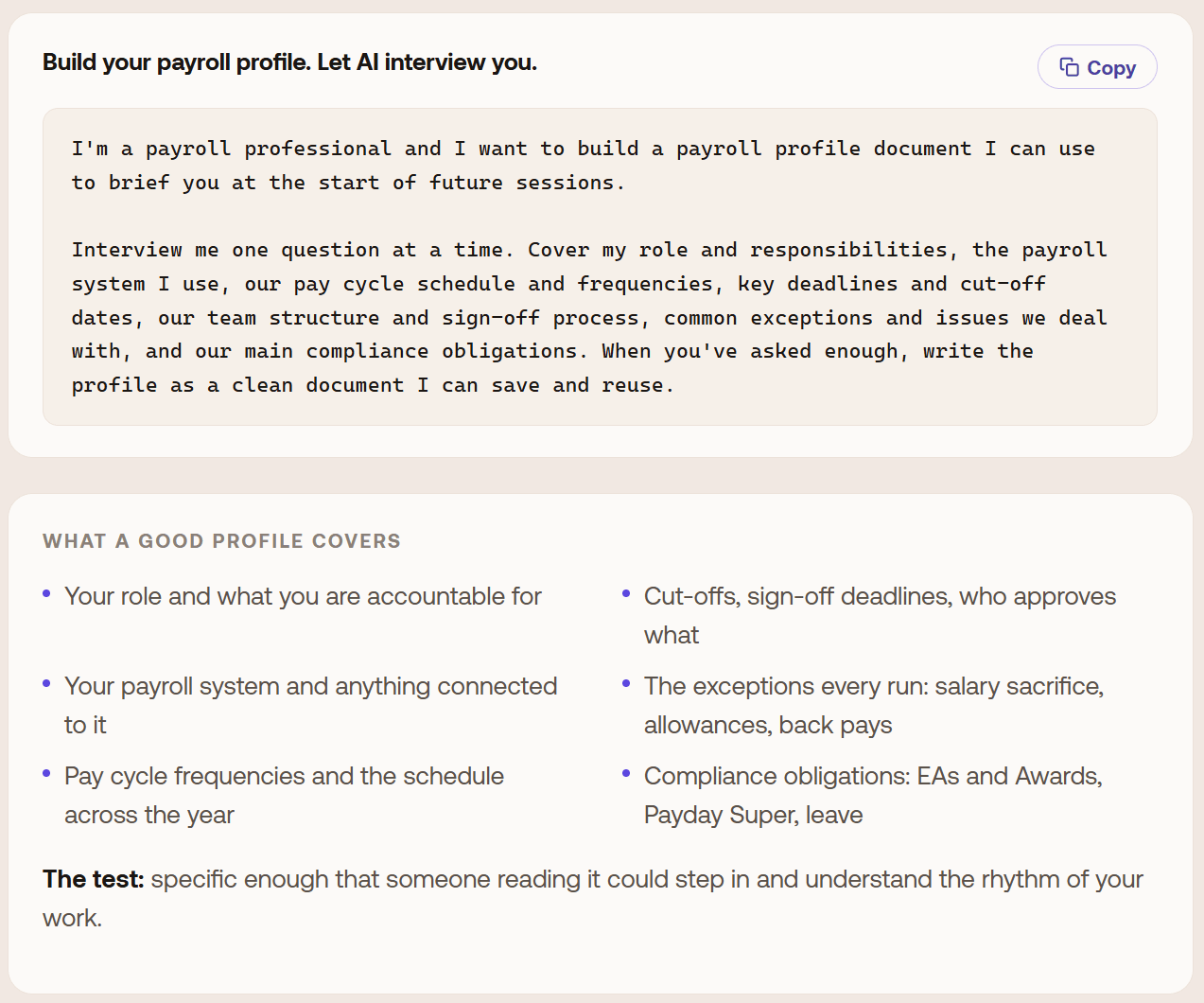
This is the one thing to do first, because everything else here builds on it. What comes out the other end?
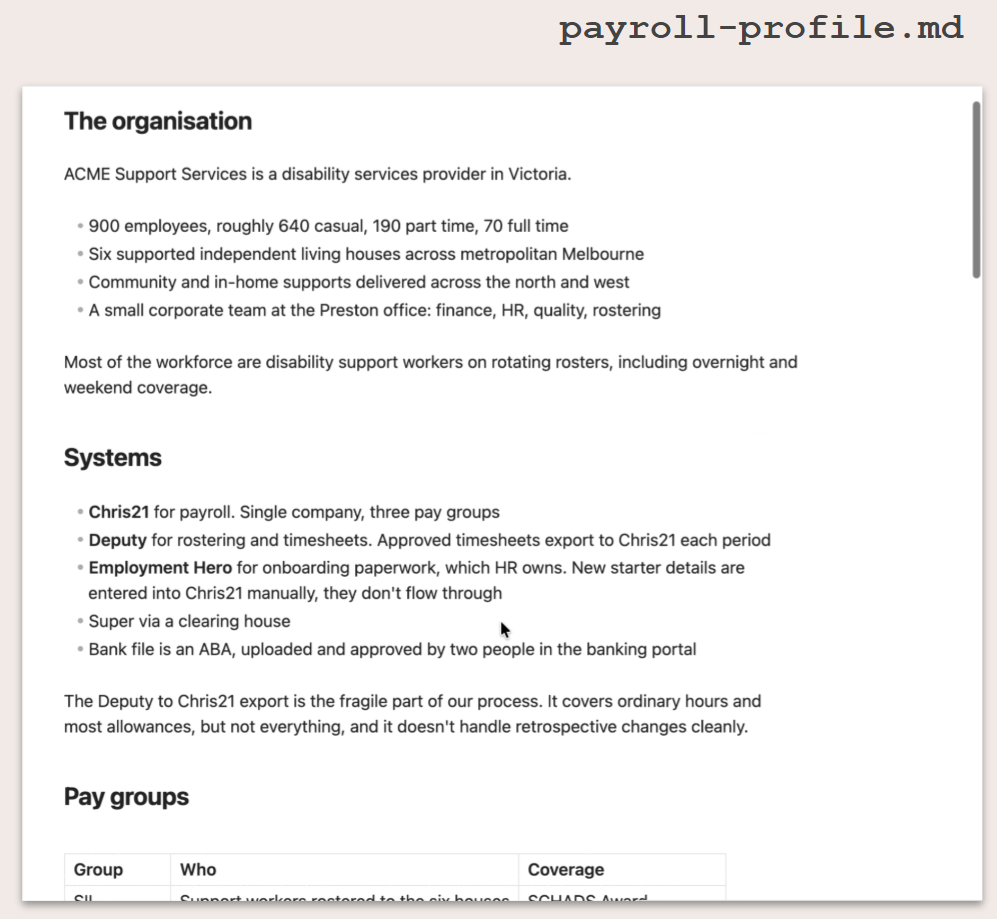
Once you've got your payroll profile document, you can simply attach the document to any conversation you're going to have with your AI agent.
Building your payroll profile is the first step in getting better results from AI tools, and it becomes the foundation for the other examples in this article.
2. Clean up what you inherited
Every payroll team is carrying some version of this: a shared drive nobody's audited in five years, a termination calculator nobody currently on the team built and a process library where the same task is described four different ways by four different authors.
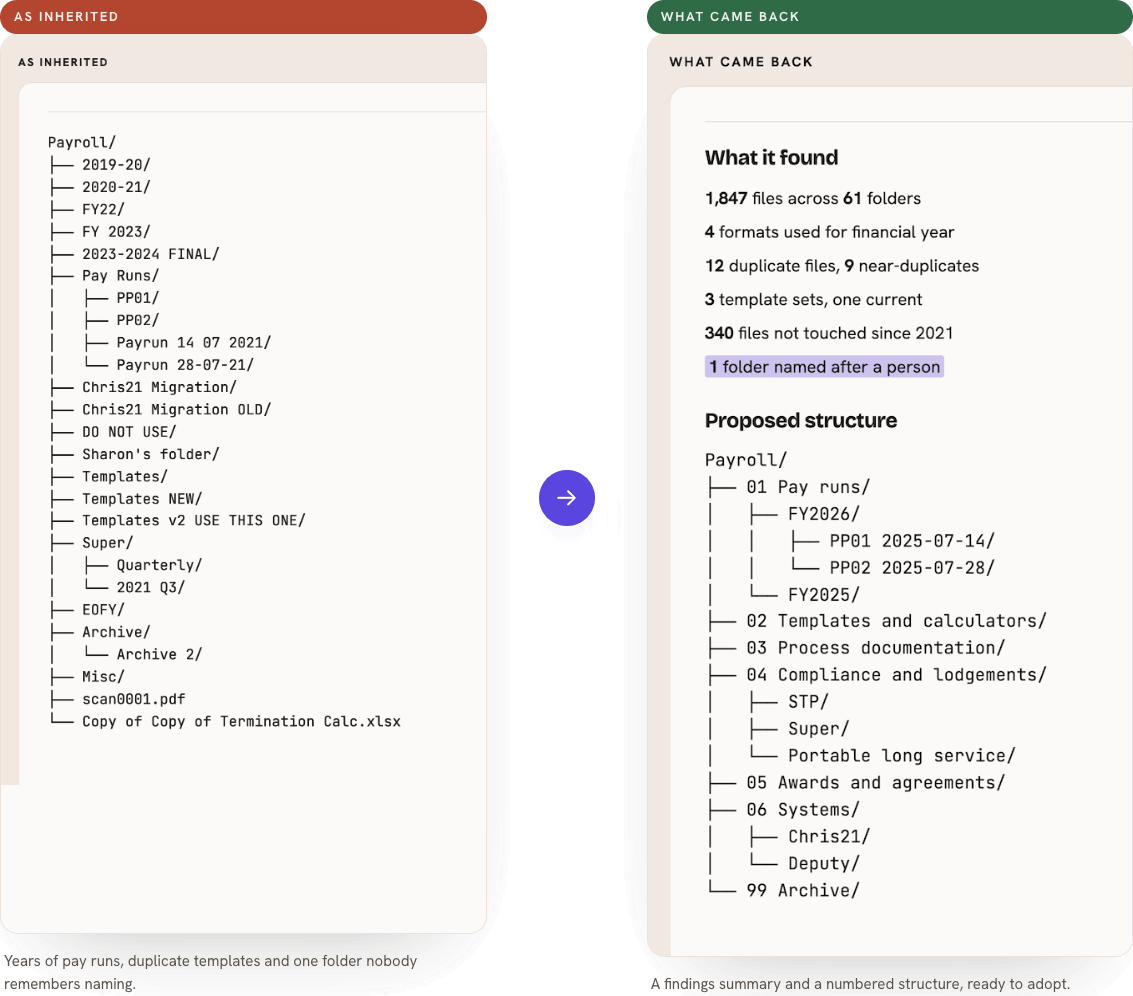
The drive. Point an AI tool with file access at the payroll folder and ask for an index of what's actually there, a structure that would make more sense, every duplicate named and everything stale flagged for archive. It proposes, you approve, then it moves things - nothing gets deleted without you saying so.
Here's an example of some output when analysing a shared drive. Your AI can even make these changes for you. Get the prompt to analyse your shared drive here.
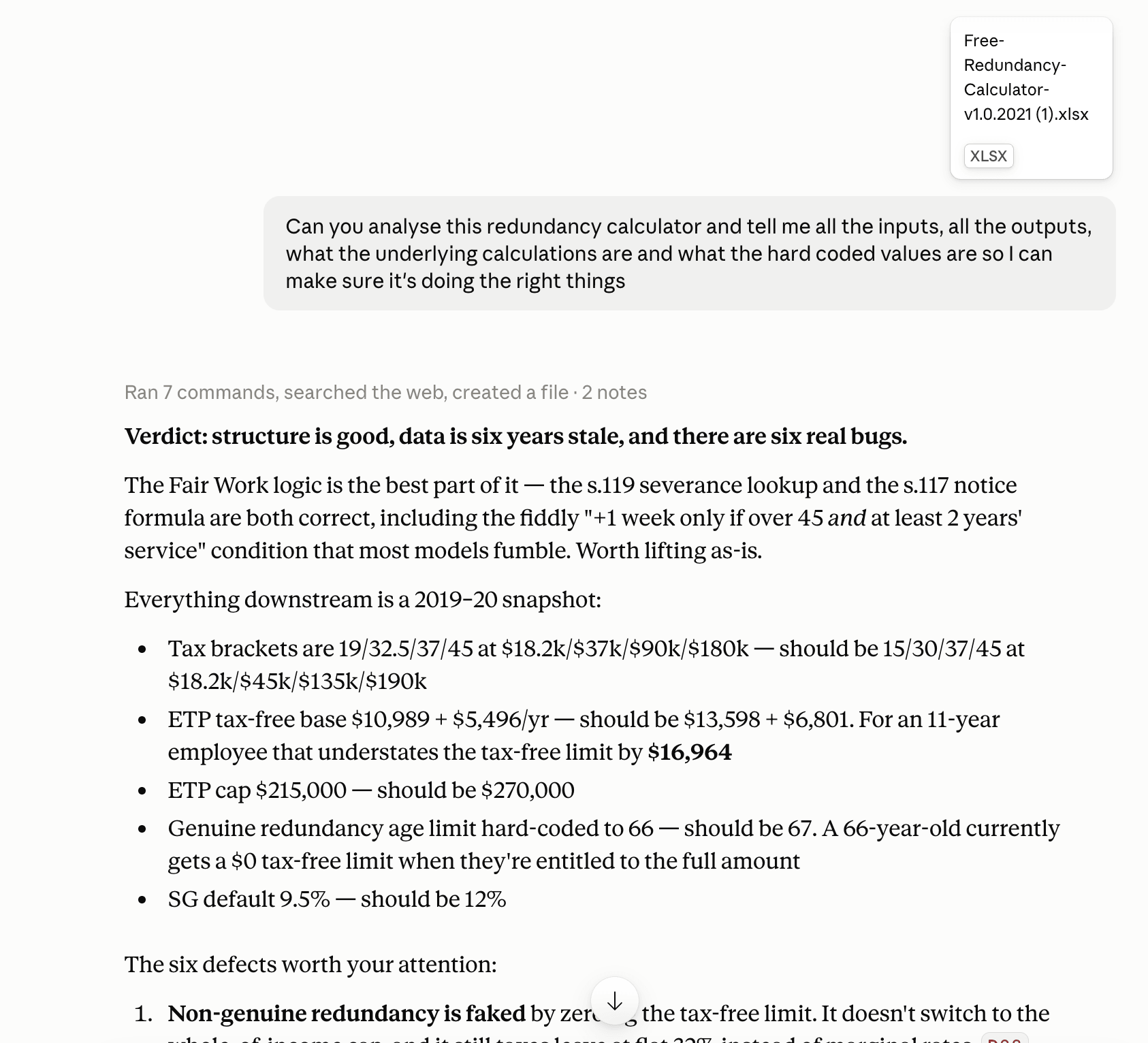
The calculators. Upload the spreadsheet and ask for every input, every output, every calculation translated into plain English and every hard-coded value that should really be a lookup. It won't sign off on the calculator being correct - but it will show you exactly what it's doing, which is more than most inherited spreadsheets offer on their own.
To do this, attach the calculator Excel file into your AI chat and ask it to do an analysis of it like below. Download this prompt for yourself here.
The process documents. Set the house rules once - verb-first steps, one action per step, role titles instead of names - and apply them across your whole SOP library in one pass, with the vague steps and the duplicated tasks flagged for you to fix.
To make a style guide, just ask AI to do it for you. Download this prompt for yourself here.
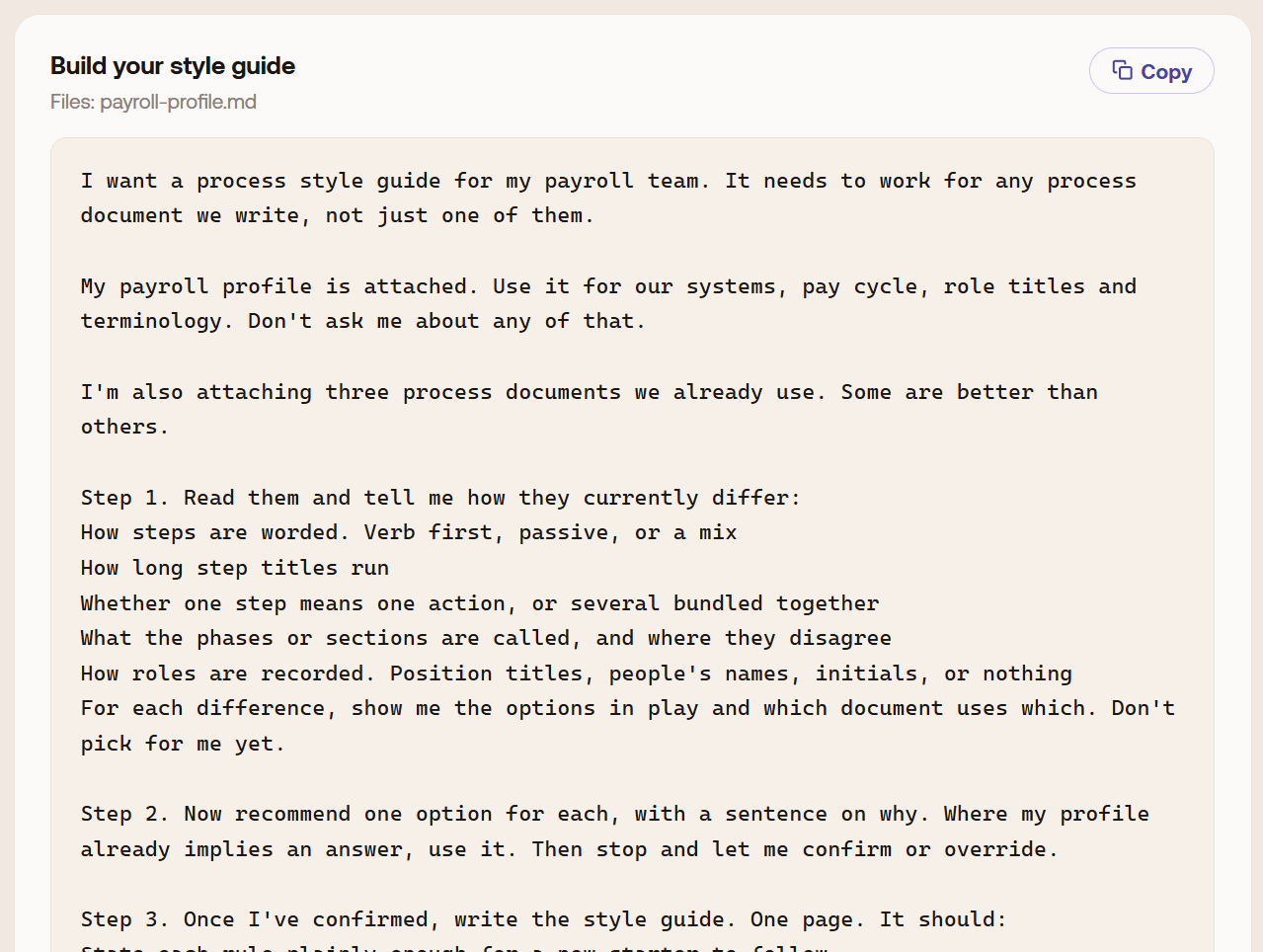
None of this involves a single employee's data. It's file names, folder structures and spreadsheet formulas - reconciliation work that would otherwise take a person days.
3. Turn your pay run into a report that changes how you're seen
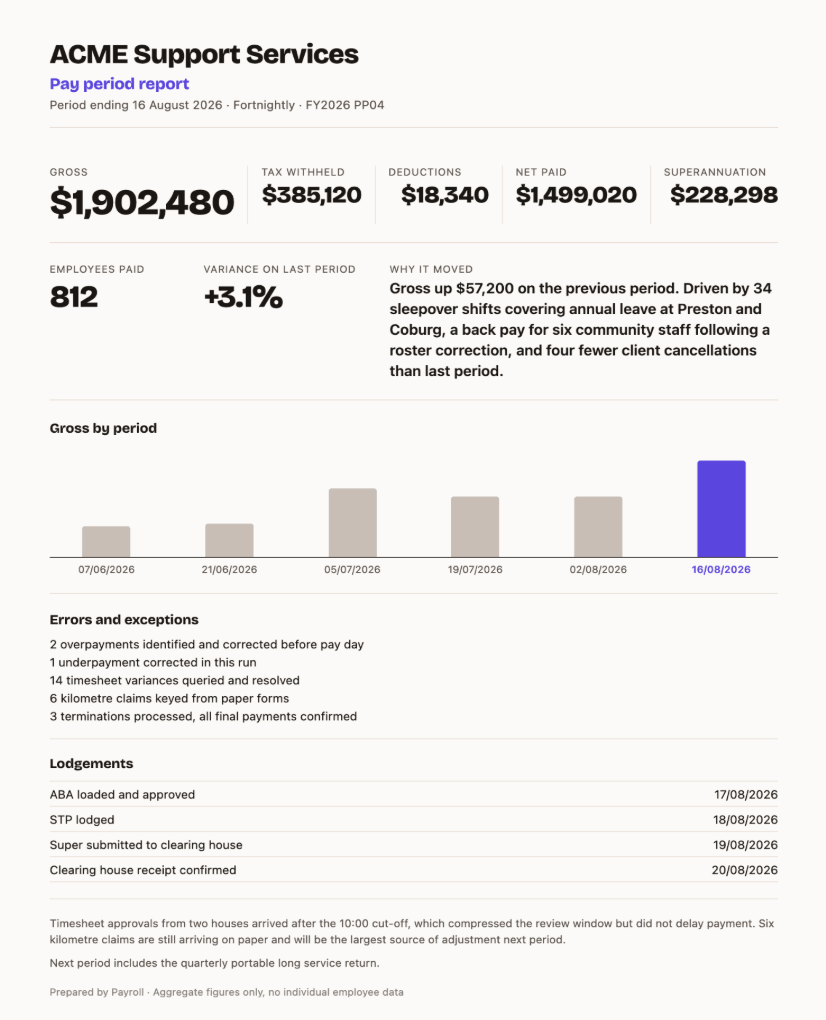
Most payroll teams only get visibility outside the department when something's gone wrong. You already produce everything needed to change that story - it's just never been written up:
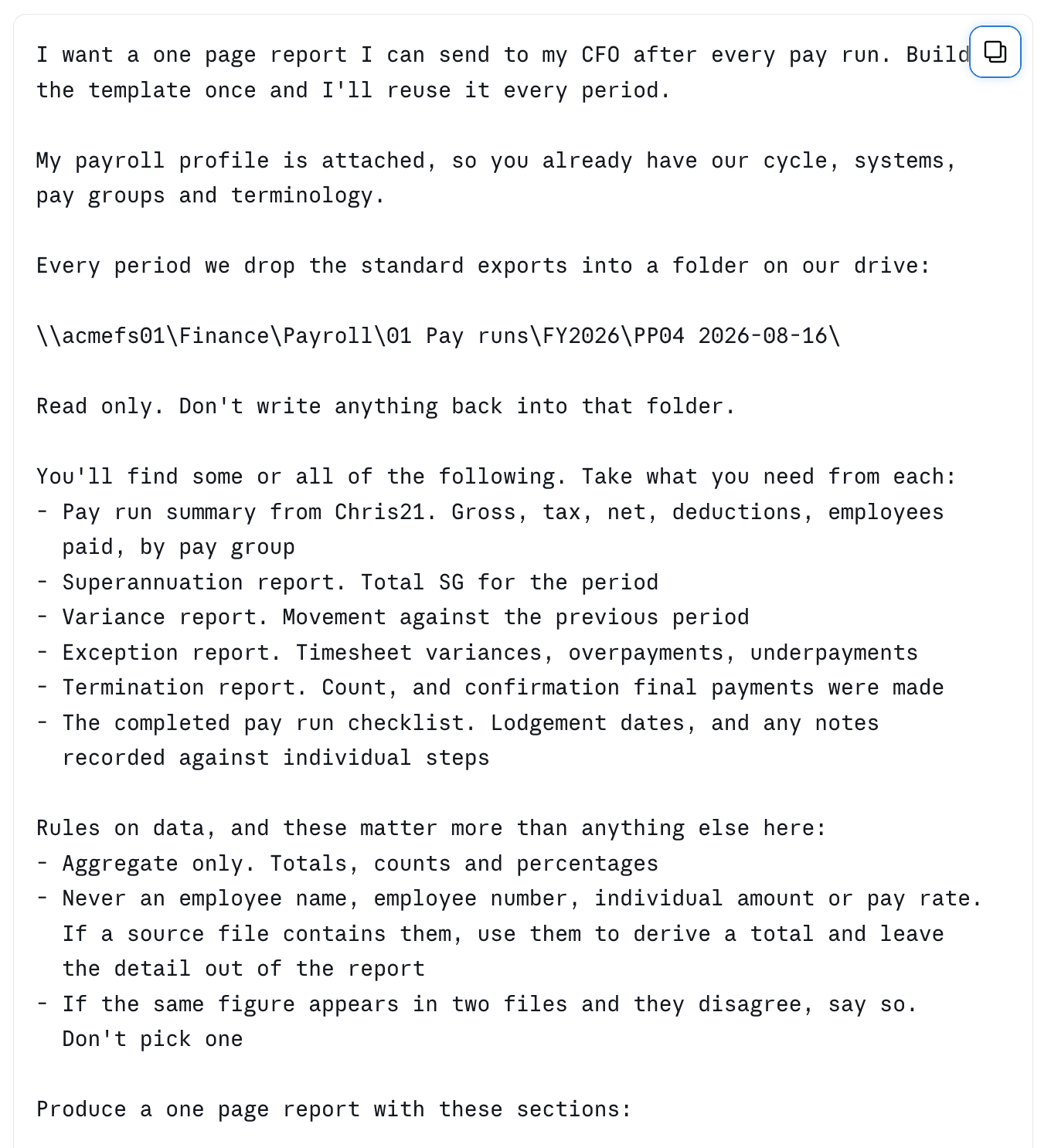
That second line is the one that matters most. Most reporting upward only describes what was done. A report that also names what would have gone wrong and didn't is the one that gets read - and remembered. Feed the aggregated outputs you already have from your payroll system into an AI tool, ask for a one-page summary written for a finance audience, and you've got a template you can regenerate every period in a couple of minutes.
So here's an example prompt and the report that it can produce for you.
Here's an example of a html report generated by AI.
Get every prompt from this article
Everything above is the concept. The exact prompts - the ones used to interview you for your payroll profile, audit your shared drive, review a calculator, build a process style guide and generate a one-page pay run report - are free to download.
Fill out the form and we'll send you the full set, ready to paste into whatever AI tool your organisation already gives you.